 |
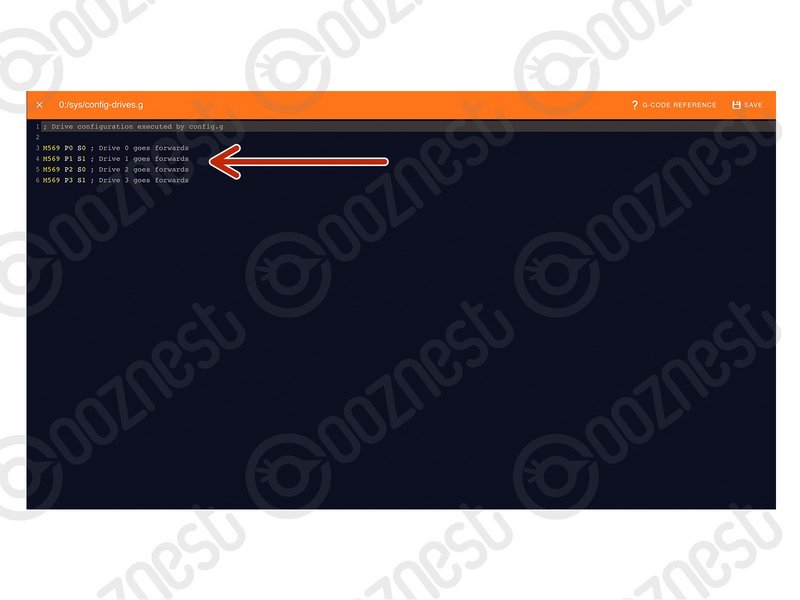
- Under File Management > System click on 'config-drives.g'
- Drive 0 is the X-Axis. Drive 1 is the Left Y-Axis. Drive 2 is the Z-Axis Motor. Drive 3 is the Right Y-Axis.
- To change an axis travel direction, change the S value from 0 to 1, or vice versa.
- Save the file.
- Press the software emergency stop in the top right corner to restart the controller.
|